We created Vendor Solutions a few years ago to use for our own vendor and contract management. Since then, we’ve sold it to a lot of credit unions and other organizations that have given us feedback to make the product better and better.
The ‘Vendor Solutions: Did You Know?’ articles will highlight the most recent updates or interesting features of Vendor Solutions. These features are investments we’ve made in the product for our clients to add the value and functionality needed to succeed.

Vendor Solutions: Did You Know?
1. Add a New User
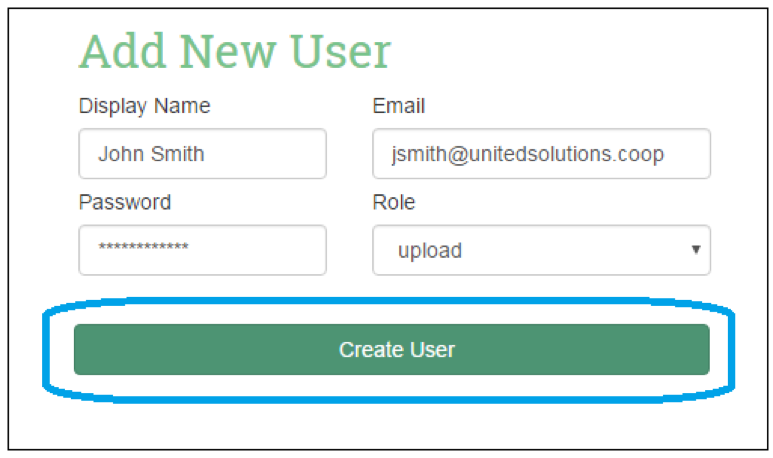
An admin can add a new user by entering the fields in the ‘Add New User’ section of the ‘Add User and Company Information’ page, then selecting the ‘Create User’ button. Once added, this user will be listed in the ‘Current Users’ section.
2. Add a Late Reporting Recipient
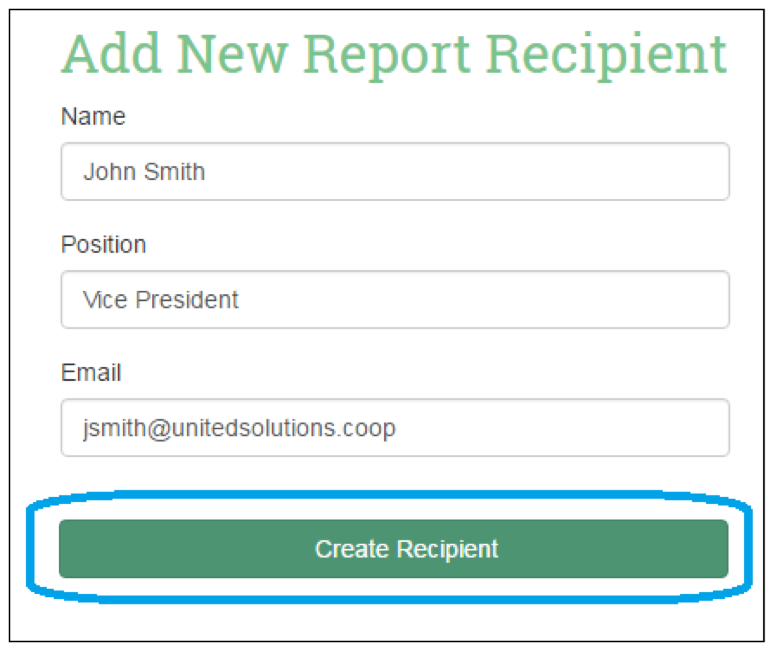
An admin can add individuals that late vendors should be reported to by entering the fields in the ‘Add New Report Recipient’ section of the ‘Add User and Company Information’ page, then selecting the ‘Create Recipient’ button. Once added, this recipient will be listed in the ‘Current Report Recipients’ section.